DPI Explained: How to Actually Pick the Right Gaming Mouse Sensitivity
DPI is the most misunderstood spec on a gaming mouse. Here's what it means in plain English, and 3 mice to match how you actually play.
 FunBug Team · 4 min read

In this guide
Ever switched mice and suddenly felt like you couldn't aim anymore? It's probably not you — it's DPI. It's the single most misunderstood spec on a gaming mouse box, and picking the wrong number can make an expensive mouse feel worse than a cheap one. Here's what it actually means, and which sensitivity (and mouse) is right for how you play.
What DPI Actually Means (In Plain English)
DPI stands for dots per inch — it's how far your cursor or crosshair moves on screen for every inch you physically move the mouse. Higher DPI means faster, twitchier movement for the same hand motion; lower DPI means slower, more controlled movement. There's no universal "best" number — competitive FPS players (PUBG, Valorant) often play lower DPI (400-1600) for precise flick shots, while casual browsing or design work is comfortable at higher DPI (2400+) since you're covering more screen distance quickly. Most decent gaming mice let you switch between multiple DPI stages on the fly with a button, so you're not locked into one setting.
Best All-Rounder: Rechargeable Wireless Mouse — Rs. 1,997
This 600mAh wireless mouse gives you up to 3200 DPI with adjustable stages, so you can drop it down for precise aim and bump it up for fast desktop navigation. Silent clicks mean you're not annoying anyone in a late-night session, and the 600mAh battery comfortably lasts 3-4 weeks between charges.
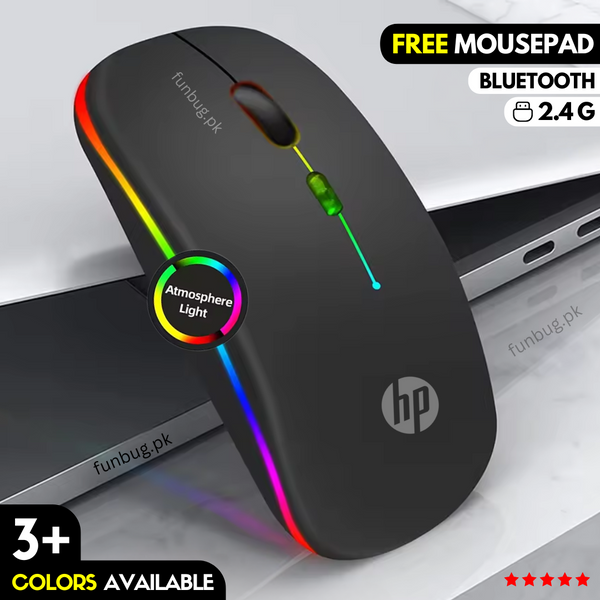
Best for Multi-Device Setups: HP W10 Dual-Mode Mouse — Rs. 1,197
The HP W10 switches between 2.4GHz wireless and Bluetooth, so the same mouse works across your PC, laptop, and even a tablet without re-pairing. It runs up to 168 hours on a charge and ships with a free mousepad, which makes it an easy first upgrade if you're currently using whatever mouse came in the box.
Best for Zero Input Lag: 7-Button Wired Gaming Mouse — Rs. 1,597
If you play competitively and don't want to think about wireless latency or charging at all, the wired 7-button mouse gives you 4-level adjustable DPI, 7 programmable buttons for quick binds, and switches rated for 20 million clicks — built to outlast a wireless mouse's battery cycle count many times over.

Frequently Asked Questions
What DPI should I use for PUBG Mobile or PC gaming?
For PC FPS games, most competitive players land between 400-1600 DPI paired with a higher in-game sensitivity multiplier — it gives you more control per inch of physical mouse movement. Start low and increase only if it feels too slow for your desk space.
Does higher DPI mean a better mouse?
No — DPI is a preference setting, not a quality measure. A mouse with a clean, accurate sensor at 1600 DPI will track your movement more faithfully than a cheap sensor claiming 6400 DPI. Build quality and sensor accuracy matter more than the number on the box.
Wireless or wired — which is actually better for gaming?
Wired has zero input lag by nature, which is why competitive players default to it. Modern wireless mice have closed the gap enormously and are fine for 95% of players — the difference is only noticeable at a very high competitive level.
How do I change DPI on my mouse?
Almost every gaming mouse — including all three above — has a dedicated DPI button, usually just behind or below the scroll wheel, that cycles through preset stages instantly without needing software.
Find Your Sensitivity Sweet Spot
The right mouse is the one that matches how you actually play, not the one with the biggest number on the box. Browse the full range in our gaming mouse collection — all backed by FunBug's 30-day warranty.