Why Your Phone Overheats in PUBG Mobile (And How to Fix It)
Lag and screen dimming mid-match are thermal throttling. Here's why it happens, 4 free fixes, and 3 phone coolers from Rs 1,997 that fix the rest.
 FunBug TeamUpdated · 4 min read

In this guide
You're two kills deep in a PUBG Mobile squad match, the circle's closing, and suddenly your phone feels like it just came out of the oven. The screen dims, the frame rate drops, and your thumbs slide on a hot back panel right when you need precision most. That's thermal throttling, and you can fix most of it for free. For the rest, a phone cooler from Rs 1,997 does the job.
Why Your Phone Overheats When You Game
Every phone's chipset generates heat under load, but a long PUBG Mobile, Free Fire or Call of Duty Mobile session pushes the CPU and GPU harder than almost anything else you do on your phone. Once the internal temperature crosses a safety limit, your phone automatically slows itself down to protect the hardware. That's the lag, the dropped frames and the dim screen you feel mid-match.
A thick case traps that heat, charging while you play adds even more, and Pakistan's summer room temperatures leave very little headroom. Repeated overheating over months also wears down your battery.
4 Free Fixes to Try First
- Take the case off for long sessions. Thick cases hold heat against the back panel.
- Don't play while charging. Charging and gaming together is the fastest way to overheat a phone.
- Lower the graphics or frame rate one step. Going from Ultra to High frame rate cuts heat noticeably with little visible difference.
- Close background apps and play in a cooler spot, under a fan or out of direct sunlight.
If your phone still heats up after all four, the only real fix is a cooler that pulls heat out of the back of the phone while you play.
Best Overall Pick: A02 Magnetic Semiconductor Cooler — Rs. 2,497
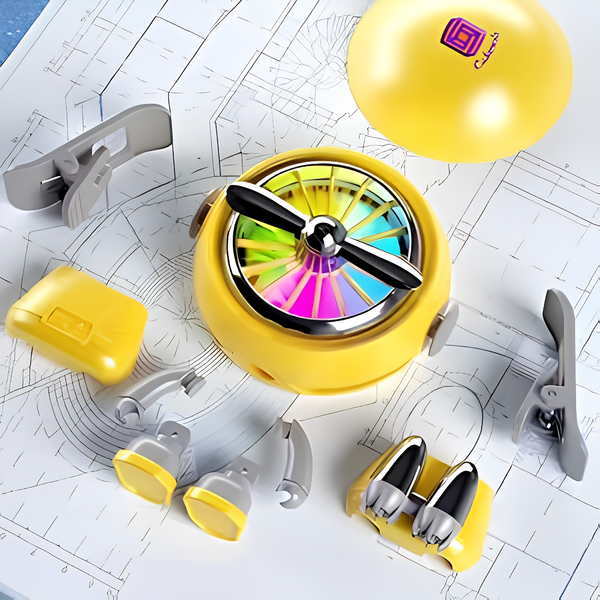
The A02 uses a semiconductor cooling chip with cooling fins, not just a fan blowing room-temperature air. It snaps on magnetically or with clips, and its quiet multi-blade fan won't drown out footsteps. Clip it into the astronaut dock when you're done and it doubles as a little desk fan.
Best for Marathon Sessions: AL19 Freezing Radiator — Rs. 3,497
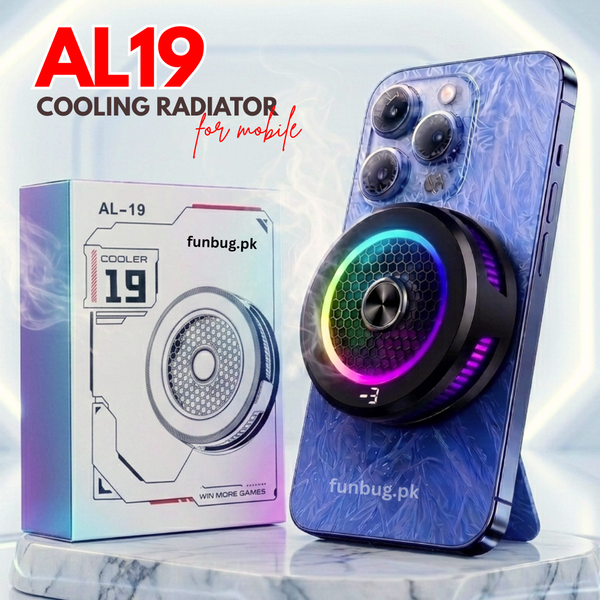
If you game for hours at a stretch, the AL19 steps it up with a 15W semiconductor cooling chip and a live digital temperature display, so you can see the number drop instead of guessing. It works with a magnet or clips and runs at about 20dB, quiet enough for voice chat.

Best Budget Pick: TL16 Mobile Cooling Fan — Rs. 1,997
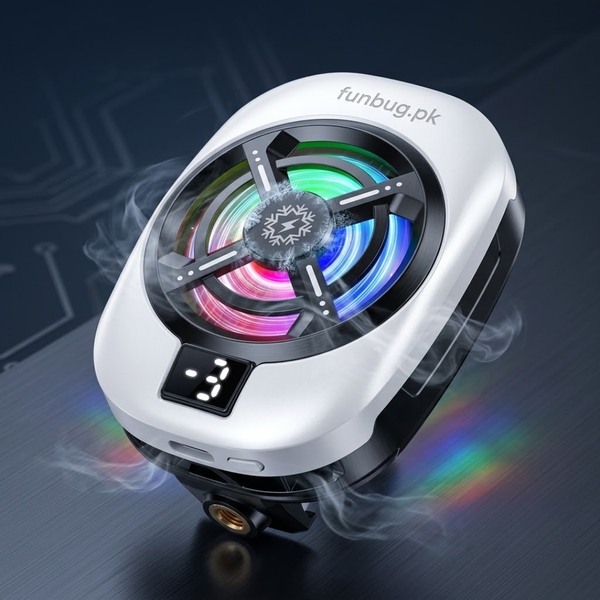
The TL16 is our lowest-priced semiconductor cooler. It clips onto any phone without pressing your buttons, has 3 speeds and a digital temperature display, and the RGB can be switched off when you want to game in stealth.

Frequently Asked Questions
Does a phone cooler drain my phone's battery?
No. These coolers are powered by their own cable from a wall adapter, power bank or laptop USB port, not by your phone. Keeping your phone cooler during long sessions also protects your battery's health over time.
Will it work with my phone case on?
Coolers work best on a bare phone or a thin case, because the cold plate needs to touch the back panel. Magnetic coolers like the A02 and AL19 also need a magnet (MagSafe or the included magnetic plate); the clips work on any phone.
Is it safe to leave clipped on for a full match or stream?
Yes. They're built for continuous use through long gaming and streaming sessions.
Does it work on both iPhone and Android?
Yes. All three coolers above fit iPhone and Android, using a magnet, the included magnetic plate or universal clips.
How much does a mobile cooler cost in Pakistan?
FunBug coolers start at Rs 1,997 for the TL16 and go up to Rs 3,497 for the 15W AL19, with cash on delivery across Pakistan.
Stop Losing Matches to a Hot Phone
Try the free fixes first. If your phone still throttles, a cooler is one of the cheapest performance upgrades for mobile gaming. Browse the full range in our mobile cooling fans collection, all backed by FunBug's 30-day warranty and cash on delivery.